


Turn PDF Logos into Embroidery Files for Hats, Shirts, and Patches
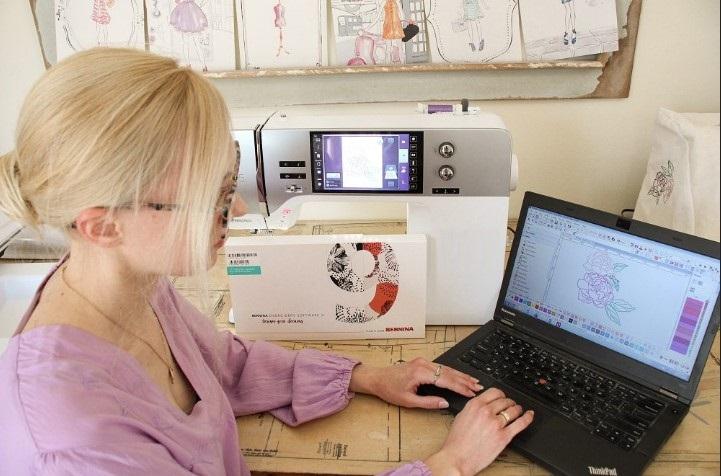
A PDF logo can look sharp on a screen or page, but an embroidery machine cannot stitch a PDF as it is. The artwork must first be planned as stitches. This step is called embroidery digitizing. It turns the logo into a file that tells the machine where to stitch, when to stop, and when to change thread.
If you want to Turn PDF Logos into Embroidery Files, the best approach is to have the artwork carefully digitized rather than simply changing the file type. A skilled digitizer studies the logo and builds stitch paths for each part. They also set stitch type, density, underlay, stitch direction, and pull compensation. These steps help the logo stitch well on hats, shirts, patches, and other items.
What Happens When a PDF Logo Is Digitized?
A PDF is made for viewing and printing. It does not contain the stitch data that an embroidery machine needs.
During digitizing, the artwork is rebuilt as stitch data. The digitizer decides how the machine should sew each part.
The process may include:
-
Reviewing the PDF artwork.
-
Checking the design size.
-
Separating colors.
-
Planning stitch paths.
-
Choosing stitch types.
-
Setting stitch density.
-
Adding underlay.
-
Setting stitch direction.
-
Planning stitch order.
-
Adding pull compensation.
-
Saving the file in the needed machine format.
The final result is a machine-ready embroidery file.
Why PDF Logos Need Special Care
A PDF may contain clean lines and shapes, but embroidery has different limits.
A thin line that looks perfect in print may be too small to stitch. Small text may also close up when sewn. Large filled areas can become too dense if they are not planned well.
This is why a direct file conversion is not enough.
The digitizer must think about how the design will behave on real fabric.
Print Art Is Not the Same as Embroidery Art
A logo made for paper or a website may use very fine detail. Embroidery needs simpler shapes and clear stitch paths.
Some small details may need to be enlarged or removed. Thin lines may need more width. Tiny text may need a larger size.
These changes do not mean the logo is being damaged. They help the design work better as embroidery.
Choosing the Right Stitch Type
Different parts of a logo may need different stitch types.
Satin Stitches
Satin stitches are often used for borders, letters, and narrow shapes. They can create a smooth and bold finish.
The width of the satin area matters. If it is too wide, the stitches may not lie well. If it is too narrow, the result may look weak.
Fill Stitches
Fill stitches are useful for larger areas. They cover broad parts of the design with rows of stitches.
The stitch direction and density should be planned with care. Poor settings can cause gaps or make the fabric stiff.
Running Stitches
Running stitches are useful for thin lines and small details. They use less thread and can give a light outline.
A skilled digitizer knows when a running stitch is a better choice than a thick satin stitch.
Preparing a PDF Logo for a Hat
Hats are one of the more challenging items for embroidery. A cap has a curved surface. It may also have a center seam.
The design must be planned to work with this shape.
Use the Right Design Size
A logo that is too large may not fit the usable area of the cap. A logo that is too small may lose important details.
The final size should be set before the file is made.
Plan the Stitch Direction
Stitch direction can affect how the design looks on a curved surface.
A good stitch path can help reduce distortion. It can also make the design look more balanced.
Account for the Center Seam
The center seam can make cap embroidery more difficult. The design should be placed and stitched in a way that reduces problems near the seam.
For this reason, cap designs often need more planning than flat shirt designs.
Preparing a PDF Logo for Shirts
Shirts are often easier to embroider than caps because the fabric can be held flat.
Still, fabric type matters.
Cotton, polyester, fleece, and stretch fabric can all behave in different ways.
A digitizer should know the type of shirt before setting the file.
Keep Small Text Clear
Small text is common in company logos. It can also be one of the hardest parts to embroider.
If letters are too small or too dense, they may become hard to read.
A good digitizer checks the actual stitch size instead of judging the text only from the PDF.
Preparing a PDF Logo for Patches
Patches often use bold shapes and strong borders.
The border should be clean and even. The inside area should also have a good stitch plan.
Patch designs may use:
-
Satin borders.
-
Fill stitches.
-
Running stitch details.
-
Bold lettering.
-
Multiple thread colors.
The right mix depends on the artwork and patch size.
Why Underlay Matters
Underlay is a base layer of stitches placed below the main stitches.
It can help support the top layer. It can also help reduce movement and improve coverage.
Without suitable underlay, the design may not sit well on the fabric.
The amount and type of underlay should match the fabric and stitch type.
Understanding Stitch Density
Stitch density means how close the stitches are.
Too much density can cause:
-
Puckering.
-
Heavy designs.
-
More thread use.
-
Stiff fabric.
-
Needle stress.
Too little density can cause:
-
Gaps.
-
Weak coverage.
-
Poor detail.
-
Uneven areas.
Good digitizing aims for a balanced stitch count.
Pull Compensation Is Also Important
Embroidery stitches can pull the fabric as they are sewn.
Pull compensation helps account for this effect. It can help keep shapes and letters closer to the planned size.
The correct amount depends on the design, fabric, stitch type, and size.
Too little can create gaps. Too much can make the design look wider than planned.
Pick the Correct Machine Format
Once the artwork is digitized, it must be saved in a format that works with your embroidery machine.
Common embroidery formats include:
-
DST.
-
PES.
-
JEF.
-
EXP.
-
VP3.
-
HUS.
-
XXX.
-
PCS.
Do not assume that one format works on every machine.
Tell the digitizer your machine brand and model when possible. This helps avoid file problems before production starts.
Why Manual Digitizing Is Better for Complex Logos
Automatic tools can trace artwork, but they may not create good stitch paths.
Complex logos need human judgment.
A skilled digitizer can decide where the design should start and stop. They can reduce unnecessary jumps and trims. They can also adjust small details that automatic tools may handle poorly.
Manual work is especially useful for:
-
Detailed logos.
-
Small lettering.
-
Curved artwork.
-
Layered designs.
-
Hat logos.
-
Patches.
-
Designs with many colors.
Test the Design Before a Large Order
A sew-out test is a smart step when the design is important.
It lets you see how the file works on real fabric.
A test may reveal:
-
Small gaps.
-
Poor text.
-
Wrong density.
-
Uneven edges.
-
Thread breaks.
-
Stitch direction problems.
It is better to find these issues on one test piece than after making a large batch.
How to Choose a Good Digitizing Service
Look for a service with real embroidery experience.
Ask to see actual stitched samples. Check the quality of small text, borders, fills, and curves.
You should also ask about:
-
Turnaround time.
-
File formats.
-
Revision policy.
-
Pricing.
-
Rush orders.
-
Customer support.
-
Sew-out testing.
Do not choose a service only because it has a low price.
A poor file can lead to wasted garments, thread, and machine time.
Why Experience Matters
Embroidery is both a design task and a production task.
A person may know how to trace a logo but still lack the skills needed to make it stitch well.
Good digitizing requires an understanding of fabric, needles, thread, stitch types, density, and machine movement.
Absolute Digitizing focuses on careful digitizing so artwork can be prepared for real embroidery use. This type of work helps businesses and embroidery shops reduce production issues and get more consistent results.
Common Mistakes to Avoid
Using the PDF Without Digitizing
A PDF is not an embroidery file. It must be turned into stitch data first.
Keeping Every Tiny Detail
Some details may be too small to stitch. Simplifying the art can improve the final result.
Ignoring the Fabric
A file made for a firm fabric may not work the same way on stretch cloth.
Skipping a Test Stitch
A screen preview cannot show every issue. A test can reveal problems early.
Choosing the Wrong Format
Always check the file format required by your embroidery machine.
Final Thoughts
A PDF logo is a great starting point for embroidery, but it needs proper digitizing before it can be stitched. The process involves much more than changing a file extension.
Good digitizing creates clear stitch paths and uses the right density, underlay, stitch direction, and pull compensation. These details help the logo look sharp on hats, shirts, patches, and other products.
Take time to choose a skilled digitizing service. Check real samples, ask about file formats, and test important designs before a large order.
When your PDF artwork is carefully prepared for embroidery, you can get cleaner stitches, fewer production problems, and a finished logo that looks professional from the first stitch to the last.

 English