Custom Logo to VIP Embroidery Conversion for Hats, Shirts, and Patches
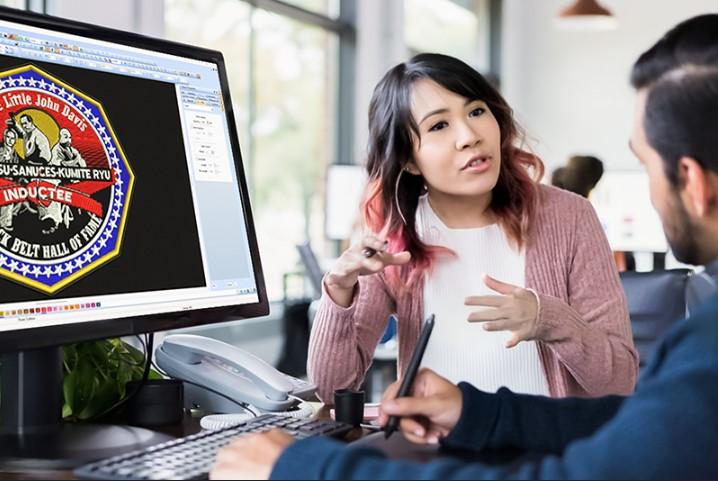
A logo can look great on a screen, but embroidery needs a very different type of file. An embroidery machine does not read a normal image like a JPG or PNG. It needs stitch data that tells the machine how to move, where to stitch, and when to change thread. This is why proper digitizing is an important part of any logo embroidery project.
If you need Custom Logo to VIP Embroidery Conversion, the artwork must be carefully digitized and saved in the correct VIP format. A simple file change is not enough. The design needs proper stitch paths, density, underlay, stitch direction, pull compensation, and color order. These settings help the logo stitch cleanly on hats, shirts, patches, and other products.
What Is a VIP Embroidery File?
VIP is an embroidery file format used with certain embroidery software and machine systems. It stores stitch information that helps an embroidery machine create the design.
A VIP file can contain details such as:
-
Stitch paths.
-
Stitch types.
-
Stitch direction.
-
Stitch density.
-
Color changes.
-
Stitch order.
-
Thread stops.
-
Design size.
The exact use of a VIP file depends on the embroidery system and software.
Before ordering a file, it is smart to check which format your machine or software needs. This helps prevent file issues during production.
Why Logo Digitizing Matters
A logo is not ready for embroidery just because it has a clear image.
A printed logo may have thin lines, tiny text, small gaps, and smooth color changes. Some of these details may not work well with thread.
Digitizing turns the artwork into a stitch plan.
The digitizer studies the logo and decides how each part should be sewn. This may require changes to the artwork so it works better on fabric.
A Screen Image Is Not a Stitch File
A JPG shows pixels. An embroidery file contains stitch instructions.
The two are very different.
A good digitizer does not just trace the image. They plan how the needle should move through the fabric.
Start With Good Artwork
The quality of the source logo can affect the final result.
A clear logo makes the digitizing process easier.
Good source artwork should have:
-
Clear edges.
-
Easy-to-see colors.
-
Sharp shapes.
-
Readable text.
-
No unwanted background.
-
Good image size.
If the source file is blurry, the digitizer may need to rebuild parts of it before creating the embroidery file.
Choose the Right Stitch Type
Different logo parts need different stitches.
Satin Stitch
Satin stitches are often used for lettering and narrow shapes.
They create a smooth and bold look. They work well for many logo borders and letters.
The width must be suitable for the stitch. A very wide satin area may not sew well.
Fill Stitch
Fill stitches are useful for large shapes.
They cover broad areas with rows of stitches.
The direction and density must be planned with care. Too many stitches can make the design heavy.
Running Stitch
Running stitches work well for thin lines and small details.
They can help create outlines without adding too much thread.
The stitch length should also be suitable for the design.
How to Prepare Logos for Hats
Hats can be more difficult than flat garments.
The cap has a curved surface. Many caps also have a center seam.
This can affect stitch placement and design shape.
Keep the Design Within the Safe Area
The logo should fit the usable area of the cap.
If it is too wide, it may reach areas that are hard to stitch. If it is too small, important details may be lost.
The final size should be checked before digitizing.
Plan Stitch Direction
Stitch direction can affect how a design looks on a curved cap.
A good stitch flow can help reduce distortion and create a more balanced look.
Consider the Center Seam
The seam can create extra resistance during stitching.
A skilled digitizer plans the design so important details do not sit directly over a difficult area when possible.
How to Prepare Logos for Shirts
Shirts are usually easier to embroider because the design area can be kept flat.
Still, the fabric matters.
Cotton, polyester, fleece, and stretch fabrics can react differently to stitches.
Small Text Needs Extra Care
Small text can be hard to read after stitching.
If letters are too small, thread can fill the gaps between them.
A digitizer may need to make letters slightly wider or simplify very small details.
This helps keep the logo readable.
How to Prepare Logos for Patches
Patches often need strong outlines and bold shapes.
The border must be clean and even. The inner artwork must also have enough support.
A patch may use:
-
Satin borders.
-
Fill stitches.
-
Running stitches.
-
Bold lettering.
-
Simple shapes.
The best setup depends on the patch size and material.
Why Underlay Is Important
Underlay is a base layer placed below the main stitches.
It helps support the top stitches. It can also help reduce movement during stitching.
The right underlay depends on the fabric, stitch type, and design.
Too much underlay can make the design stiff. Too little may not give enough support.
Understanding Stitch Density
Stitch density refers to how close the stitches are.
It is one of the key settings in embroidery.
Too Much Density
High density can cause:
-
Puckering.
-
Heavy embroidery.
-
More thread use.
-
Stiff fabric.
-
More needle stress.
Too Little Density
Low density can cause:
-
Gaps.
-
Weak coverage.
-
Uneven areas.
-
Poor detail.
A good file needs a balanced density that suits the fabric and design.
Pull Compensation Helps Maintain Shape
Embroidery stitches can pull the fabric as they are sewn.
Pull compensation helps account for this movement.
It can be useful for letters and shapes that may become smaller or narrower during stitching.
The correct setting depends on the design and fabric.
Color Sequence Matters
The order of stitching can affect the final result.
A good sequence can reduce unnecessary movement, jumps, and trims.
It can also help prevent areas from shifting during production.
The digitizer should plan the sequence based on the design structure.
Why VIP Conversion Is More Than File Saving
One common mistake is to think that changing a file extension creates a proper embroidery file.
It does not.
A professional conversion involves creating or adjusting stitch data.
The digitizer may need to rebuild the design to make it suitable for the VIP format and the target embroidery system.
This is why professional conversion can produce better results than basic software conversion.
Test Your Design Before Production
A test sew-out is a smart step for important designs.
It shows how the file performs on real material.
Look for:
-
Thread breaks.
-
Gaps.
-
Puckering.
-
Poor registration.
-
Uneven borders.
-
Weak details.
-
Excessive density.
A test can help find problems before you start a large order.
How to Choose a Digitizing Service
Not every digitizing service provides the same level of work.
Look for a service that understands both artwork and embroidery.
Check Real Samples
Ask to see actual embroidery samples.
Look at small text, curves, borders, and filled areas.
Ask About Revisions
A good service should have a clear revision process.
Find out what happens if the file needs changes after testing.
Confirm the File Format
Tell the service which machine or software you use.
This helps them prepare the correct file.
Ask About Turnaround
Fast service can be helpful, but speed should not replace quality.
A rushed file may create more problems during production.
Why Professional Experience Matters
Embroidery has many variables.
Fabric can stretch. Thread can pull. Needles can create tension. Designs can shift during stitching.
An experienced digitizer knows how these factors affect the finished result.
Digitizing Buddy uses careful embroidery methods to help turn logos into machine-ready designs. The goal is to create files that are practical for real production, not just files that look good on a computer screen.
Common Mistakes to Avoid
Using a Low-Quality Logo
A blurry image can make accurate digitizing harder.
Keeping Every Tiny Detail
Some details are too small for embroidery. Simplifying them can improve the final design.
Ignoring the Fabric
The same file may not work equally well on every fabric.
Using Too Much Density
Heavy stitching can cause puckering and stiffness.
Skipping a Test
A sew-out can reveal problems that are not visible in the software preview.
A Simple Logo-to-VIP Workflow
The process can be broken into a few simple steps.
Step 1: Send the Artwork
Provide the clearest logo file available.
Step 2: Share the Details
Tell the digitizer the final size, fabric, product type, and machine or software format.
Step 3: Plan the Stitches
The design is broken into areas and assigned suitable stitch types.
Step 4: Set the Stitch Details
Density, underlay, direction, pull compensation, and sequence are adjusted.
Step 5: Create the VIP File
The final stitch data is saved in the required VIP format.
Step 6: Test the Design
A sew-out can be used to check the result.
Step 7: Make Final Changes
Any issues found during testing can be corrected before production.
Final Thoughts
Turning a logo into a VIP embroidery file takes more than changing a file type. The artwork must be planned as stitches that can work with the fabric, machine, and final design size.
Good digitizing uses the right stitch types, density, underlay, stitch direction, pull compensation, and color sequence. These details help reduce thread breaks, puckering, gaps, and design distortion.
Whether you are making hats, shirts, patches, uniforms, or promotional products, a properly prepared VIP file can make production easier and the finished embroidery more polished.
Choose a service that understands real embroidery work. Check samples, confirm the required format, and test important designs before a large order. With careful digitizing, your logo can become clean, durable, and professional embroidery.

 English